Read in your preferred language
Choose reading and reply languages independently. Translate messages and quotations separately and reuse cached translations.
Translate loaded X conversations, review the context, add your own perspective, and generate editable drafts with your chosen model provider and API key.
Refer to the store for its current version. See your account center for Pro plans and availability.
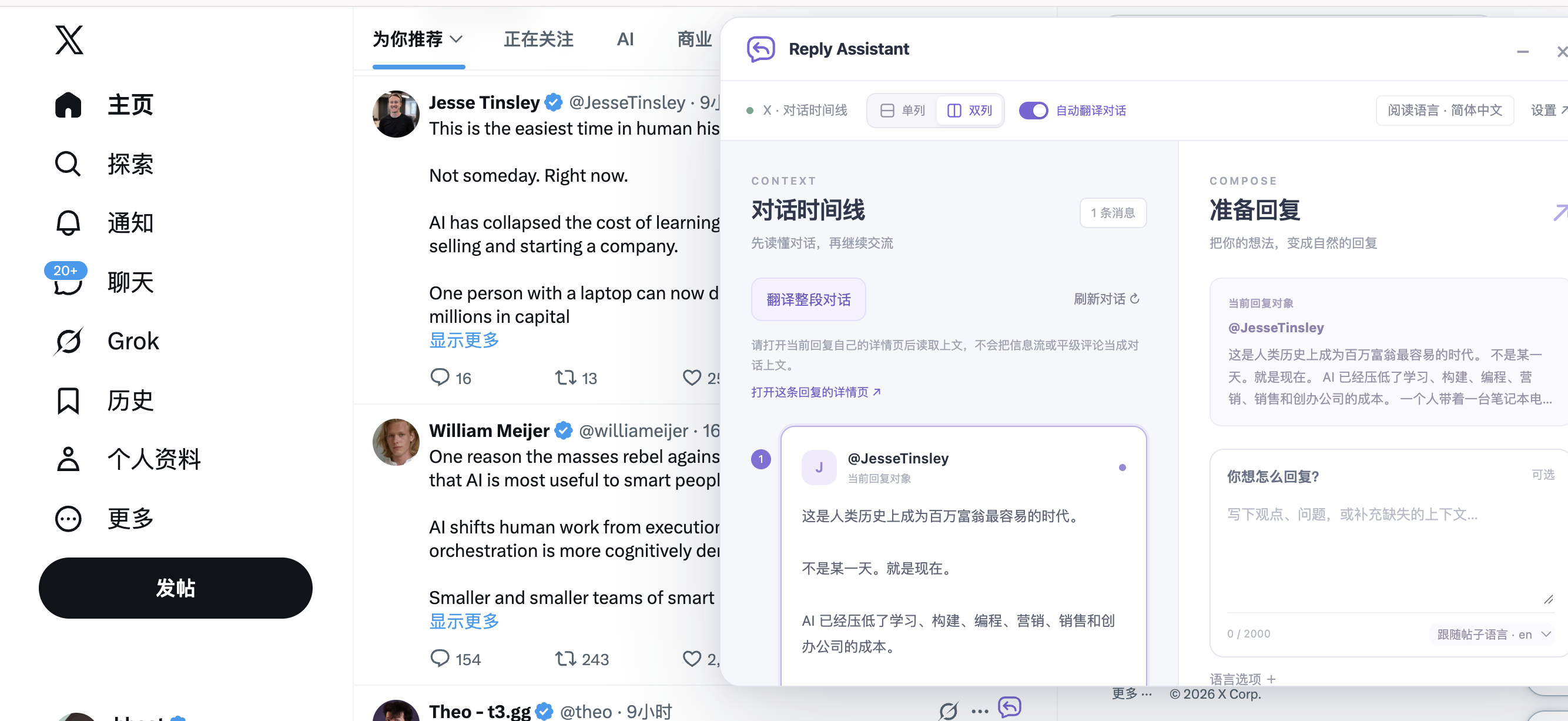
Choose reading and reply languages independently. Translate messages and quotations separately and reuse cached translations.
Add your intent, questions and relevant materials. Review the suggestions, edit, check the character count, and copy the reply yourself.
Move, resize, and switch between one or two columns. Automatic translation is off by default and can be enabled in settings.
Read-only page observations count identifiable comments and quotes for today, 7 or 30 days. Counts can miss posts and are not account-wide totals.
Use DeepSeek, OpenAI or OpenRouter presets, or a custom HTTPS OpenAI-compatible provider. Bring your own API key; your provider bills API usage. Compatibility depends on the provider and model.
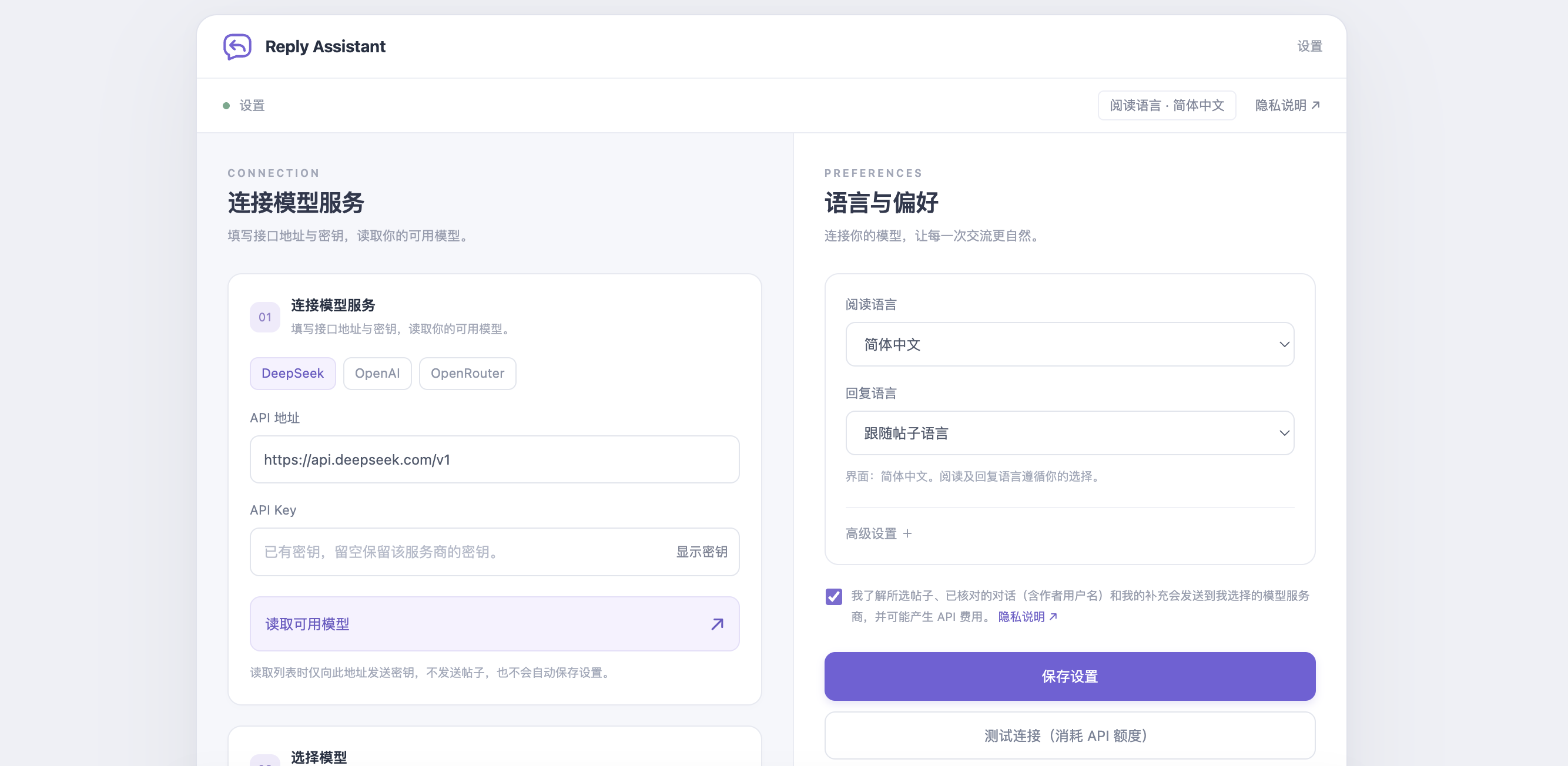
Existing free local features do not require a product login. Your provider may charge for model requests using your own API key. See your account center for available Pro plans.
No. Replies are generated only when you ask. You review, edit, copy and publish them yourself. No auto-filling, sending or bulk engagement.
In versions with local backup, export saved preferences and materials from extension settings, then preview and import them on the other computer. API keys are excluded; configure the key and confirm disclosure and permissions on the new device. Backup files are unencrypted, so keep them safe.
Desktop Chrome and X text conversations, plus explicit selected-paragraph replies through a context menu. Images, videos, linked pages and unloaded messages are not analyzed.